
Appearance
Asset Types: define the cooler models you use
An asset type describes a cooler model: its manufacturer, model number, shelves and door layout. Every asset (cooler) refers to an asset type, so create your asset types first.
Asset Types at a glance
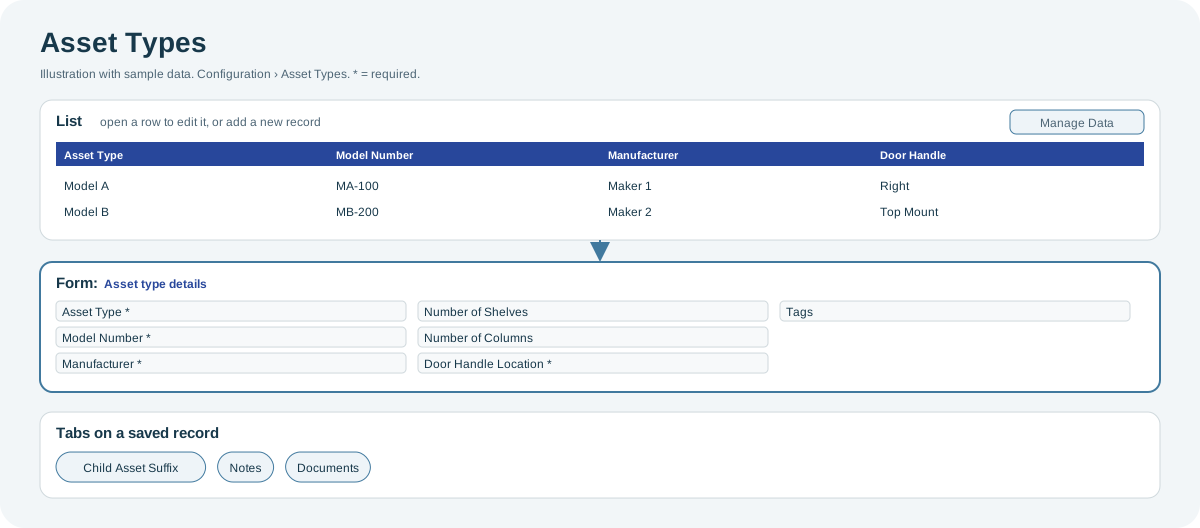
Open the full-size Asset Types diagram.
When to use it
Before you add assets of a new cooler model, or when a model's details, door layout or documents change.
Who uses it
| Role | Typical use |
|---|---|
| Deployment and asset managers | Add new cooler models and keep their specifications up to date. |
Why it helps
- Consistent coolers: all assets of a model share the same layout and specifications.
- Correct images: the door layout and the number of cameras determine how images and child assets are set up.
Where to find it
Select Configuration > Asset Types.
How it works
The Door Handle Location and the number of cameras determine the cooler's child asset suffixes: one suffix for each door or section of a multi-door cooler. When you add an asset type, the form shows the suffixes that will be saved; after you save, they appear on the Child Asset Suffix tab.
Using the screen
Asset type details
| Field | Notes |
|---|---|
| Asset Type | Name of the model. Required, up to 50 characters. |
| Model Number | Required. |
| Manufacturer | Required. |
| Number of Shelves, Number of Columns | 0 to 100. |
| Door Handle Location | Required: Left, Right, Top Mount, Bottom Mount or No Door. |
| Tags | Free labels for searching and grouping. |
You can show more fields from the table's column list, such as number of cameras, life, warranty, cabinet height and width, temperature offset, external code and asset specifications.
To create a similar model, copy an existing asset type and change what is different.
Tabs on a saved asset type
- Child Asset Suffix: the suffix and door handle location of each child asset.
- Notes: notes with a note type and subject.
- Documents: files such as manuals or specification sheets, with an attachment type.
Import
Use Manage Data to import asset types from Excel. The mandatory columns are asset type name, model number, door handle location and manufacturer. See Manage Data: import and export.
Why you might not see something
- You cannot add or edit asset types: your role can only view them.
Related pages
Last updated: November 13, 2026. Screens and options vary with your role and your organization's setup.