
Appearance
Products: maintain the products recognized in your coolers
The Products screen holds the products that image recognition looks for and that planograms, orders and reports use: names, SKUs, brands, categories, pack details, images and prices.
Products at a glance
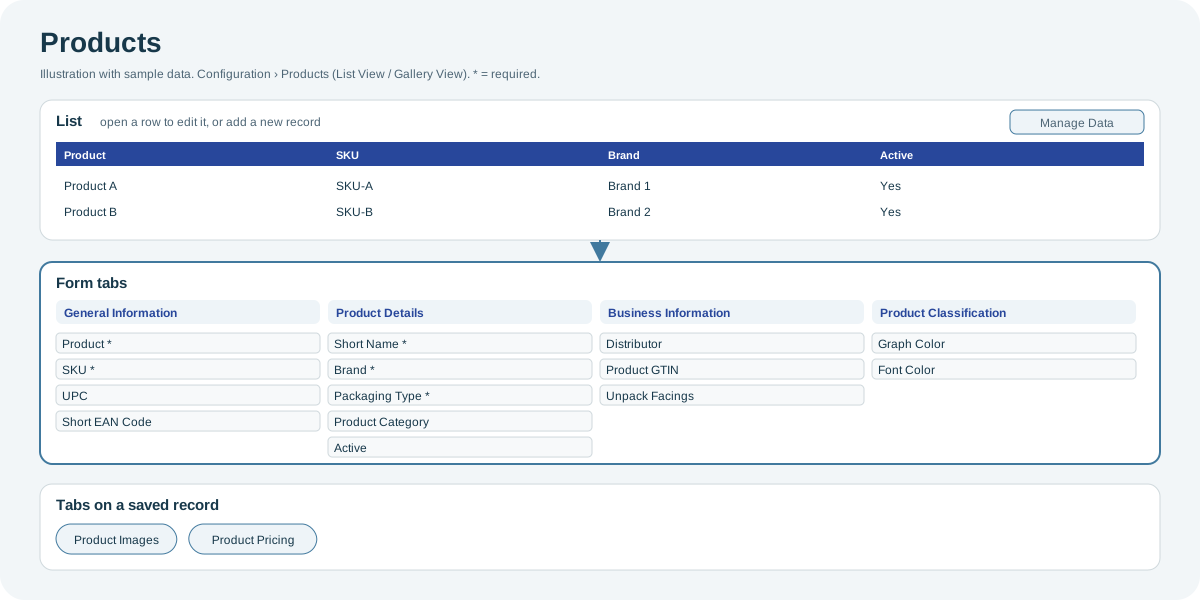
Open the full-size Products diagram.
When to use it
When you launch, rename or delist a product, or when its images or prices change.
Who uses it
| Role | Typical use |
|---|---|
| Category and brand managers | Add products, images and categories. |
| Commercial teams | Maintain case sizes and prices. |
Why it helps
- Better recognition: good product images help image recognition identify your products.
- Correct revenue figures: case sizes and prices feed order values and Missed Opportunity.
Where to find it
Select Configuration > Products. Use the buttons at the top to switch between List View and Gallery View.
Using the screen
Product form
| Tab | Main fields |
|---|---|
| General Information | Product and SKU (required), UPC, Short EAN Code, Country, State, Tags. |
| Product Details | Short Name, Brand and Packaging Type (required), Product Category, Product Category 2, Measurement Unit, Active, Is Key Product, Image. |
| Business Information | Distributor, Product GTIN, Individual SKU, Unpack Facings. |
| Product Classification | Display settings such as graph and font colors. |
Product Images and Product Pricing
- Product Images: the product's images, each with an Image Category.
- Product Pricing: one row per pack option, with Product Option, Size, Price, Facings per Case and Unpack Unit.
Import
Use Manage Data to import products from Excel. The mandatory columns include product name, short name, SKU, packaging type, measurement unit, brand, manufacturer and pricing. Prepare the product images before you import. See Manage Data: import and export.
Why you might not see something
- Product GTIN is required: your organization requires a GTIN for every product.
- A brand or category is missing from a list: it has not been set up for your organization.
Tips
- Use Gallery View to spot products with missing or poor images.
Related pages
Last updated: November 13, 2026. Screens and options vary with your role and your organization's setup.